RootsMagic UK Version 11 Basic Download (PC/Mac)
£29.95
RootsMagic has become one of the UK's most favoured genealogy packages. This software is comprehensive yet easy to use, creates over 100 reports and charts, and integrates with research sites. It is the top-rated program in numerous reviews and articles which emphasise RootsMagic's ease of use and powerful features.
Version 11 is the latest edition of this award-winning full-featured genealogy program authored by Bruce Buzbee, the author of Family Origins.
This is a heavy item so postage will be increased if it is to be shipped outside the UK.
Note: If you buy this item as part of an order containing items that do not have free postage you will be charged for postage at the appropriate rate for those items.
RootsMagic has become one of the UK's most favoured genealogy packages. This software is comprehensive yet easy to use, creates over 100 reports and charts, and integrates with research sites. It is the top-rated program in numerous reviews and articles which emphasise RootsMagic's ease of use and powerful features.
RootsMagic has become one of the UK's most favoured genealogy packages. This software is comprehensive yet easy to use, creates over 100 reports and charts, and integrates with research sites. It is the top-rated program in numerous reviews and articles which emphasise RootsMagic's ease of use and powerful features.
Version 11 is the latest edition of this award-winning full-featured genealogy program authored by Bruce Buzbee, the author of Family Origins.
UK Basic Edition
The UK Basic Edition includes:
- RootsMagic 11 UK Edition software
- Digital Quick Start Guide (PDF)
Please note that this is supplied as a download, you will receive a download link and registration key via email. You will then be able to access the data downloads and online subscription via Your Account.
What's New in Version 11?
New Life Summary panel
New Life Summary panel on People page shows life events, spouses / children, parents / siblings in a single view
Life Summary data sections can be collapsed or expanded as desired
Life Summary panel provides a quick way to add parents, spouses, and children to the selected person
Life Summary lets you easily rearrange children and spouses for the selected person
Life Summary provides a quick way to edit, go to, unlink, or delete any family member of the selected person
Improved User Interface
View buttons on each page now include labels ("Pedigree", "Family", etc.)
Cryptic tool icons on each page have been replaced with menus
New side panel on person page includes a simple header with basic information easily visible
Side panel header includes icons for notes, sources, media, tasks, health, and DNA for the current person
Side panel header lets you quickly switch between spouses and sets of parents
Special information on pages is more clearly shown using Alert bars (media sort order, task filtering and folders, "unused" media, etc.)
Theme contrast lets you select between standard, high, and max
Numerous other small enhancements
Enhanced Citation Editing
New Sources view on Edit Person screen shows all citations for the person (including events, names, etc.)
Directly edit any citation for a person from a single screen
Easily Add citations for any piece of information from a single screen
Quickly rearrange citations for any fact
Simplified Note Editing
New Notes view on Edit Person screen lets you easily see all notes for the person (including events, names, etc.)
Quickly switch between a person's notes for direct editing
Indicator lets you quickly see which pieces of information already contain notes
Search all notes for a person from a single screen
Easier Task Editing
New Tasks view on Edit Person screen shows all tasks for the person (including events, names, etc.)
Quickly add a task to any piece of information for the person from a single screen
Easily add a task to any piece of information
Search all tasks for a person
Printing and Reports
Print a Relationship Chart for any relationship found by the relationship calculator
Filter out events by proof for FGS, Narrative, Individual list, and Individual Summary
More Powerful Search Capabilities
Basic and Advanced search result table is now independently customizable (no longer tied to the Person List settings)
Basic and Advanced search include Print (which also allows saving search results to Excel and CSV)
Basic and Advanced search results now include a Life Summary panel to show all info for the highlighted person in the results
Can create a Rules Group from the Advanced search results
A results count is now displayed for Basic and Advanced search results
RootsMagic now remembers whether you last used the basic or advanced search
Advanced Search has been simplified and enhanced:
- Criteria Rule has been separated into Event, Name, Attribute, and Association rules
- Events can now be searched by multiple fields for the same event
- Date search now offers a "Between" option
- Search events, shared events, or both
- Rules are now combined with AND, OR, or BUT NOT rather than just in sequence
- New special rules: People w/ no sources, Unlinked people, Bookmarked people
Search and Replace is included on Search Page now
Edit has been added to WebSearch page
AI Prompt Builder
AI Prompt Builder helps you create and save effective prompts to use with the AI of your choice
Create and save free-form prompts, or use the AI Prompt Builder to step you through
AI Prompt Builder lets you choose the Role, Task, and Audience, and then builds the prompt
Prompts are saved to reuse with different people in your database
Select a person, open the AI Prompt Builder, select a prompt and click Copy. Then paste into your favorite AI.
You can choose what information about the person will be included with each prompt (names, events, spouses, children, parents, siblings)
Options: no fake info, historical context, format preference (plain, html, etc.)
Edit any prompt in the free form prompt editor
Proof Support
Added "Proposed" as a proof type (to handle theories, hypotheses, etc.)
Edit person form now displays icons for each proof type: proven, disproven, disputed, proposed
Explorer Enhancements
Side panel in Explorer now uses the Life Summary
Marking or unmarking families now lets you select the entire family or just individual family members
Other
Added support for MacOS ARM (M1, M2, M4)
Used lists (where a record is used) now displays color coding for people in the list
Used lists now have a search filter
Private facts now display a lock icon on the Edit Person page
Numerous minor enhancements
Plant Your Family Tree
Whether you are starting from scratch, use another program, or already have a tree online, RootsMagic helps you bring it all together into a single, convenient spot.
Download from Online Trees
Already have family history online? RootsMagic can give you a headstart by downloading your tree from Ancestry and FamilySearch.
Import from Other Software
RootsMagic can directly import data from Personal Ancestral File (PAF), Family Tree Maker, Legacy Family Tree, The Master Genealogist, or Family Origins*. It also imports GEDCOM, the universal genealogical data exchange format.
* Not all 3rd-party formats are currently supported on macOS.
Stay in Sync with Online Trees
You get the best of both worlds- the power, privacy, and freedom of a personal tree on your own computer; and the communication, collaboration, and resources of online trees. RootsMagic lets you share tree data back and forth with Ancestry and FamilySearch.
Multiple Files
Create as many tree files as you like. Keep your own backups of your work on your own computer or on cloud backup services.
Drag-and-Drop
Open multiple trees at the same time. Need to copy a branch from one file to another? Just use your mouse to drag a person (or people) from one file to another.
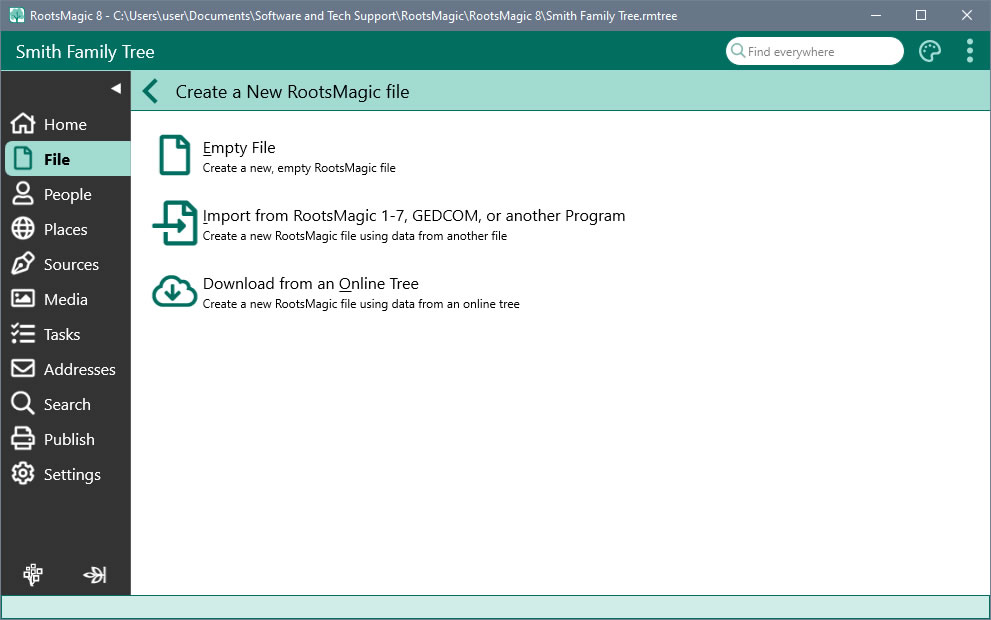
Getting Around
No matter how tangled your tree is, RootsMagic lets you easily navigate all of the roots and branches.
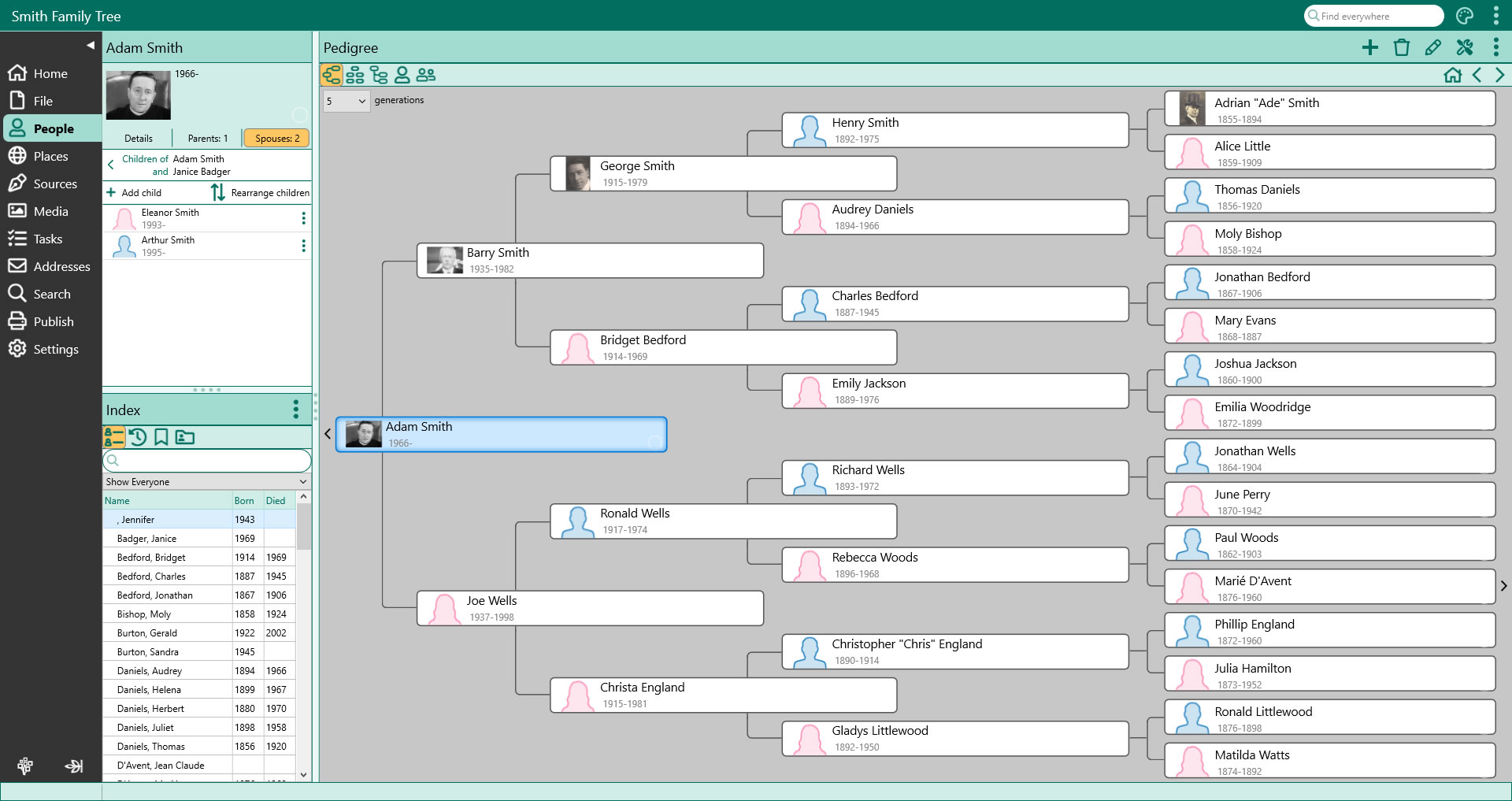
All At Your Fingertips
The main window lets you work with files, people, places, sources, media, tasks, addresses, and more from one place. Just click on the sidebar to switch between screens without losing your place.
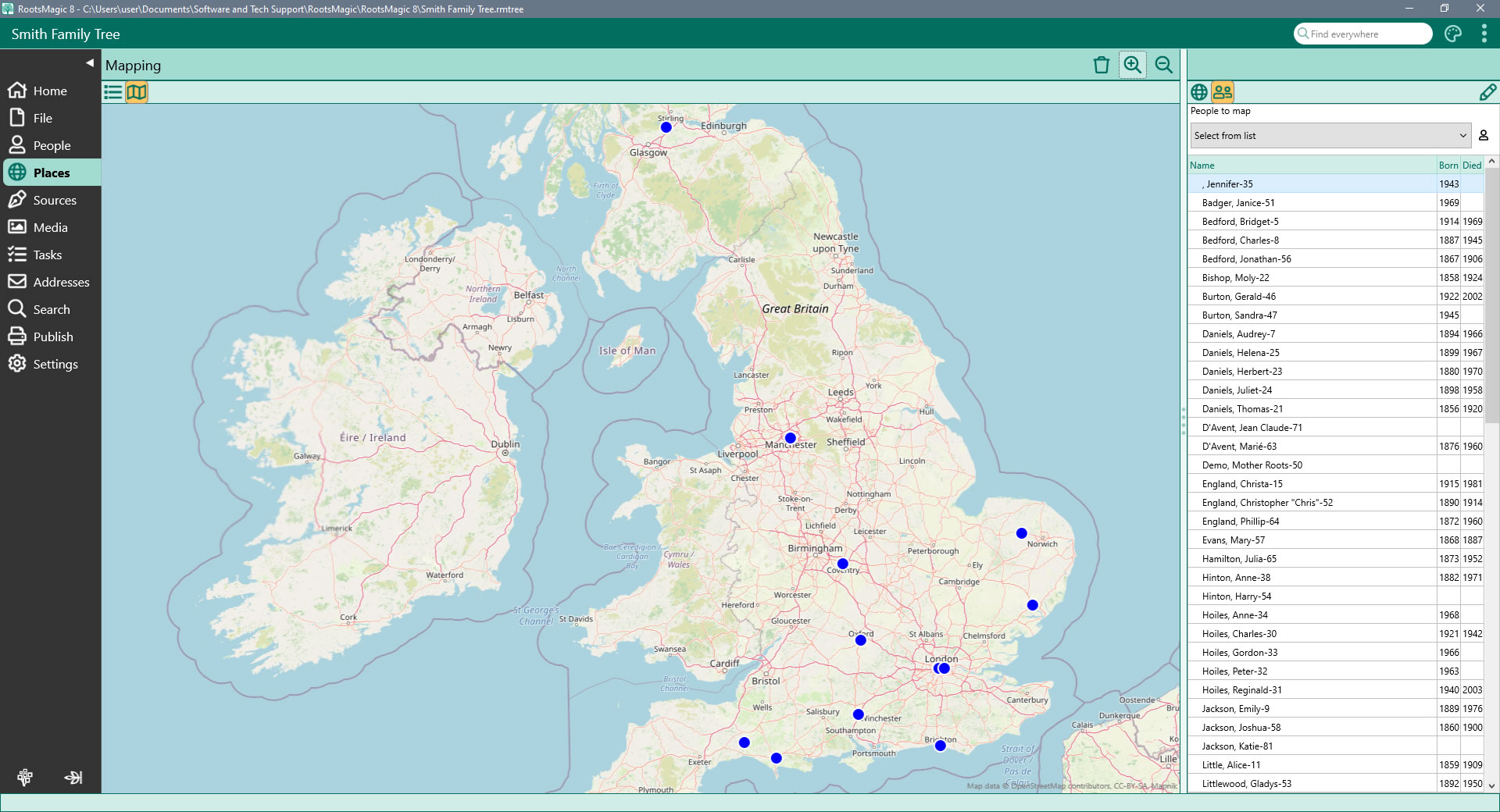
Map Your Family
View your family on a map! Simply select a family member from the list and RootsMagic will display the map (anywhere in the world), with pins where that person's events (birth, marriage, death, burial, etc) occurred.
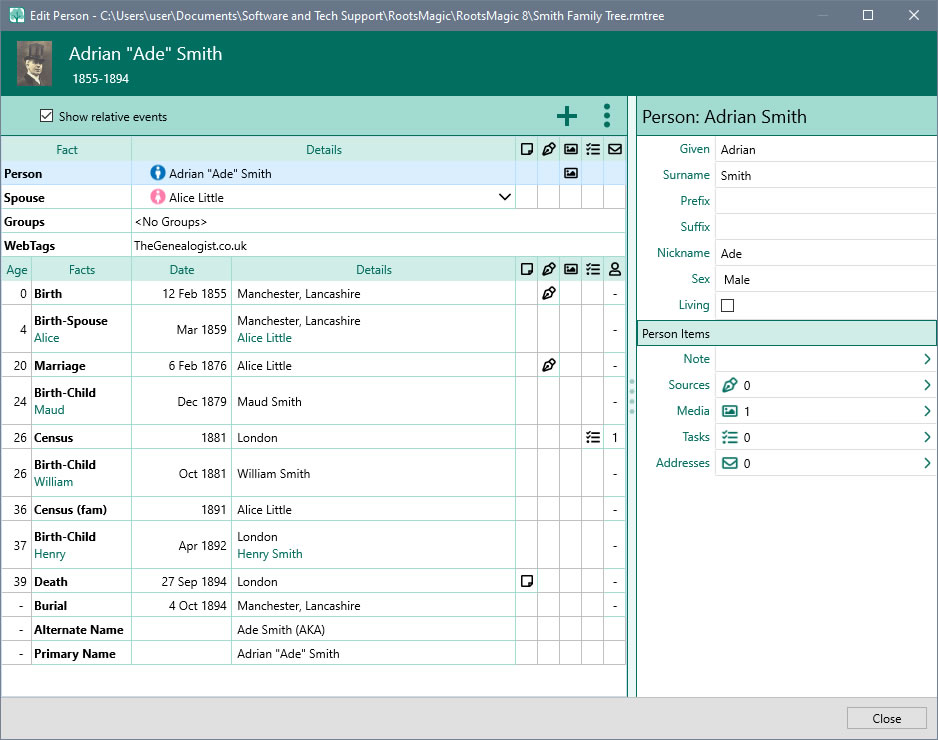
Add and Edit People
View and edit every piece of information about a person from a single edit screen. Add as many facts, notes, sources and media to each person and family. Share an event among multiple people and define each person's role in the event.
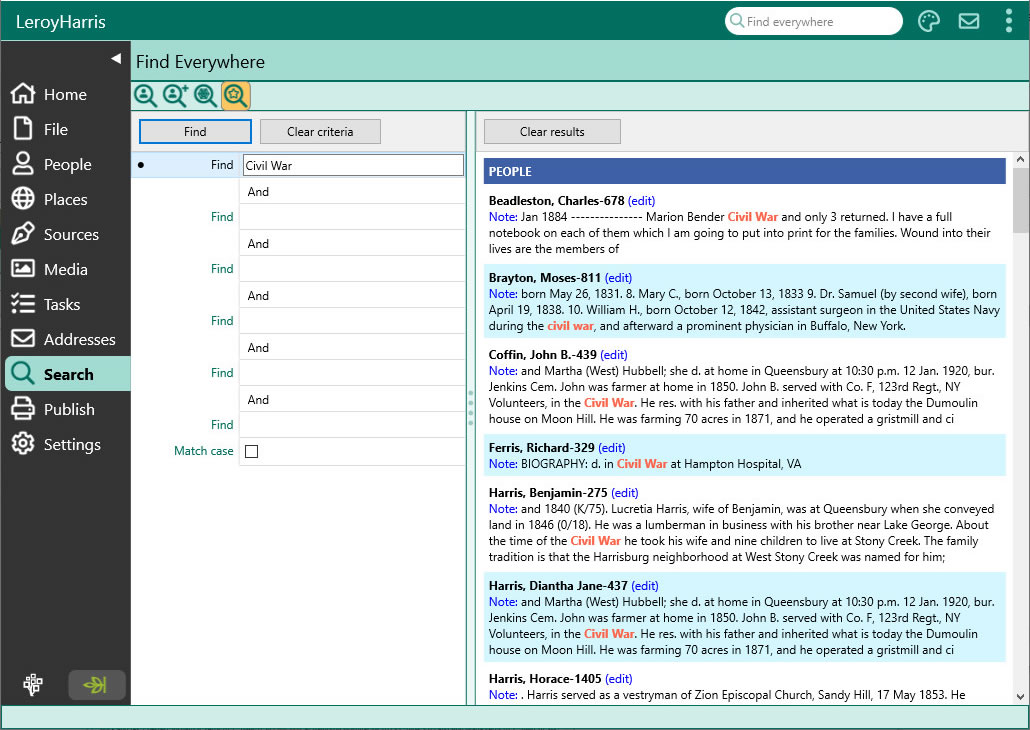
Find Anything
Search boxes help you quickly matching items in lists. Need more power? Use the Search Screen to search for a name or phrase anywhere in the file or online. Quickly search by surname or given names, genetic lines, or perform sophisticated searches easily. Even find women by their married names.
Grow Your Family Tree
RootsMagic keeps your work organized while it helps you find new records, document sources of information, and track your tasks and work.
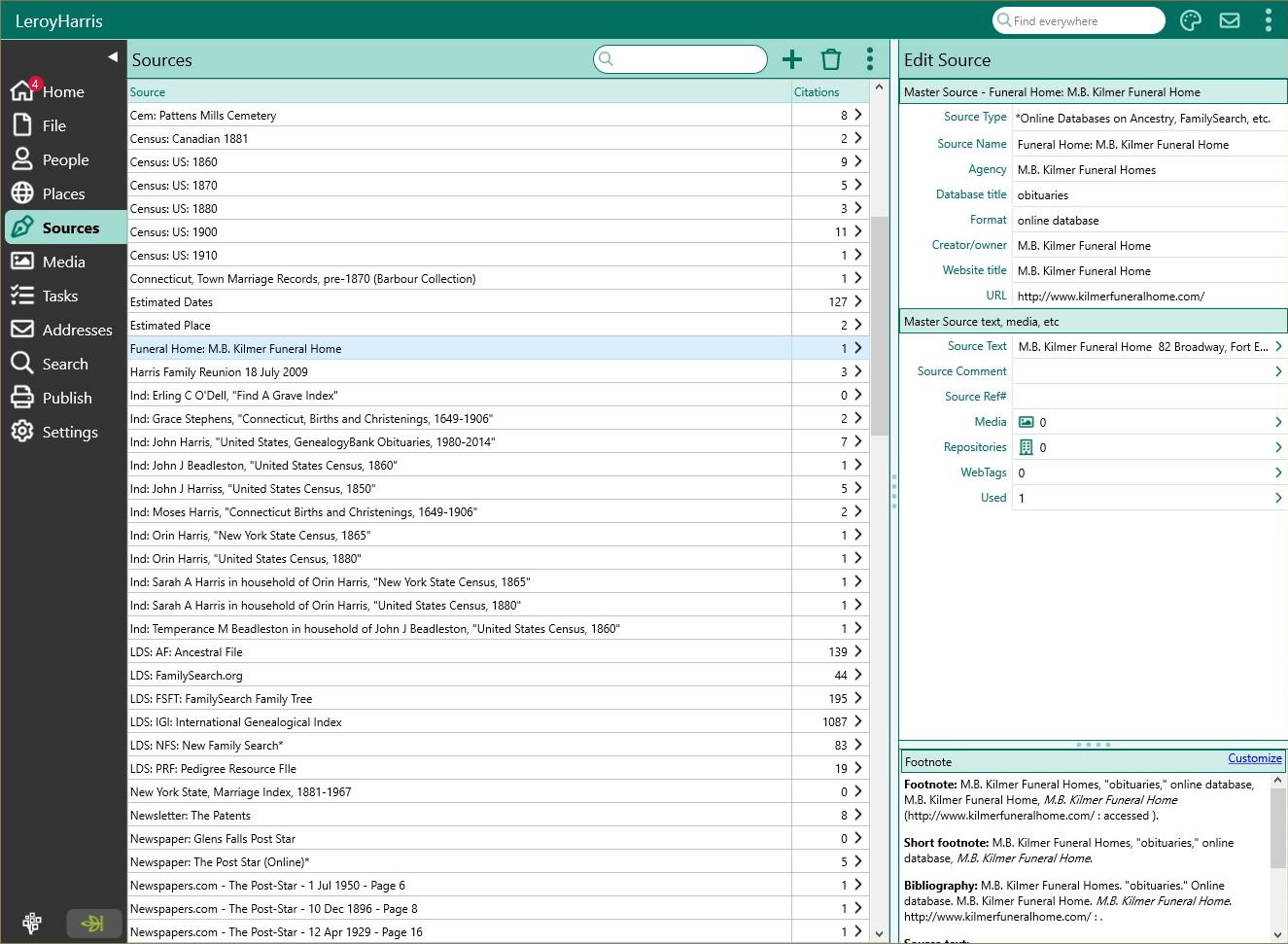
Document Your Work
Record the evidence to back-up your work. Fill-in-the-blanks and the SourceWizard write and manages citations for you. You can even create your own source types.
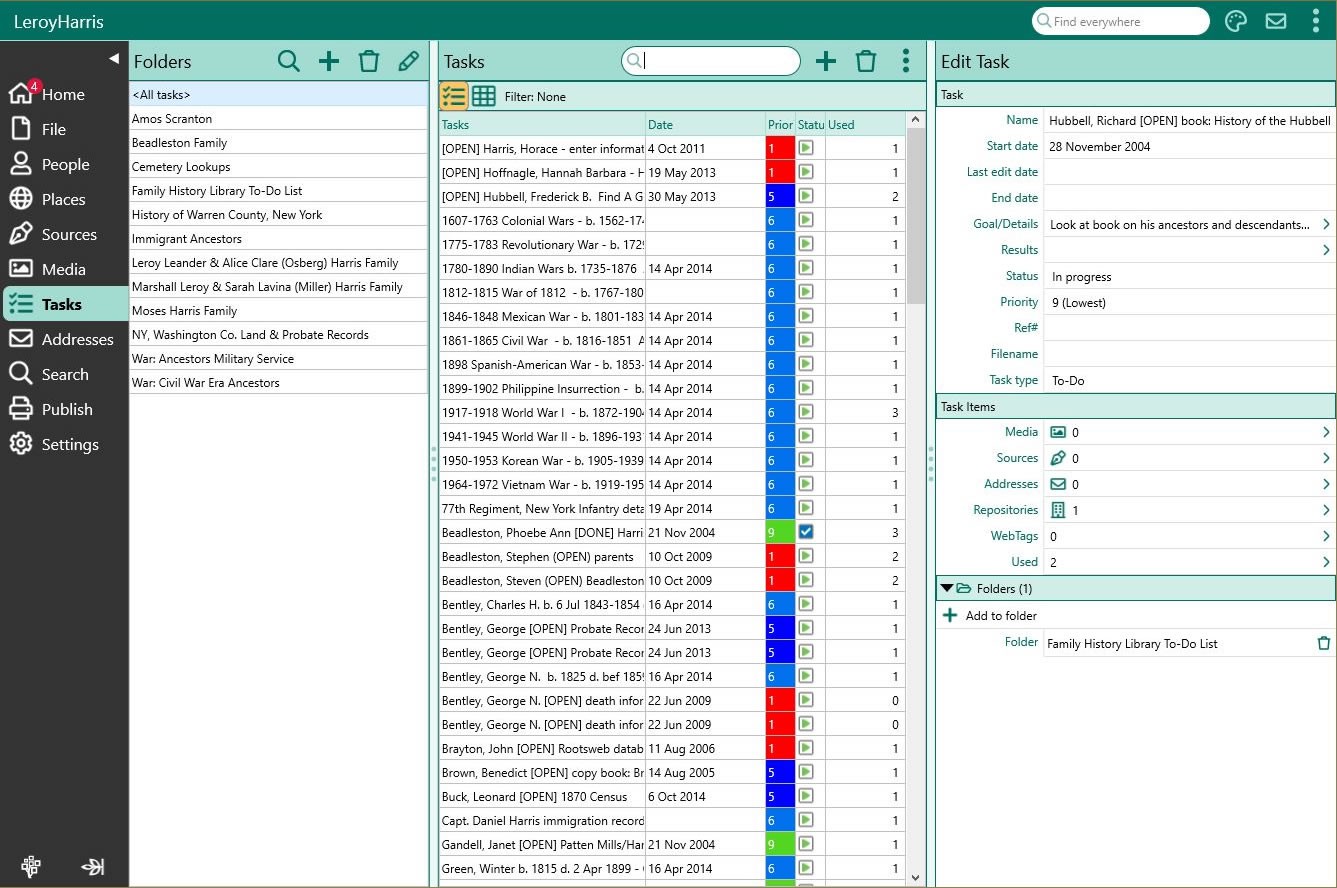
From "To-do" to "Ta-da"
Keep your work on track with RootsMagic's task management. Set goals, choose tasks, log your research, and track what you've found (or haven't found).
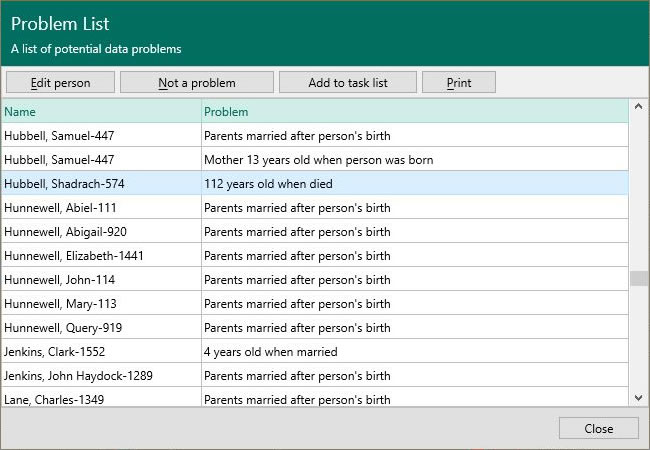
Spot Possible Problems
Was John really born when his mother was 9 years old? Problem Alerts warn you of possible errors in your data as you're looking at it.
Keep your Names and Places Clean
The powerful DataClean tool finds and corrects problems in your person and place names.
Automatically Find Online Records
WebHints automatically search for your family online. Find and view matching records from Ancestry, FamilySearch, Findmypast, and MyHeritage*.
* Subscriptions may be needed to view some records from some providers.
Colors and Groups
Give Color Codes to people to see how they fit into the overall picture. Assign people to groups to quickly find and use them at any time.
Publish and Share
RootsMagic makes it easy to publish and share your family history in a variety of ways!
Over 100 Printouts
Customize and print colorful reports and lists. Save them to .PDF, Microsoft Word .DOCX, Microsoft Excel .XLSX, and more which you can use in other publishing softwares.
Beautiful Charts
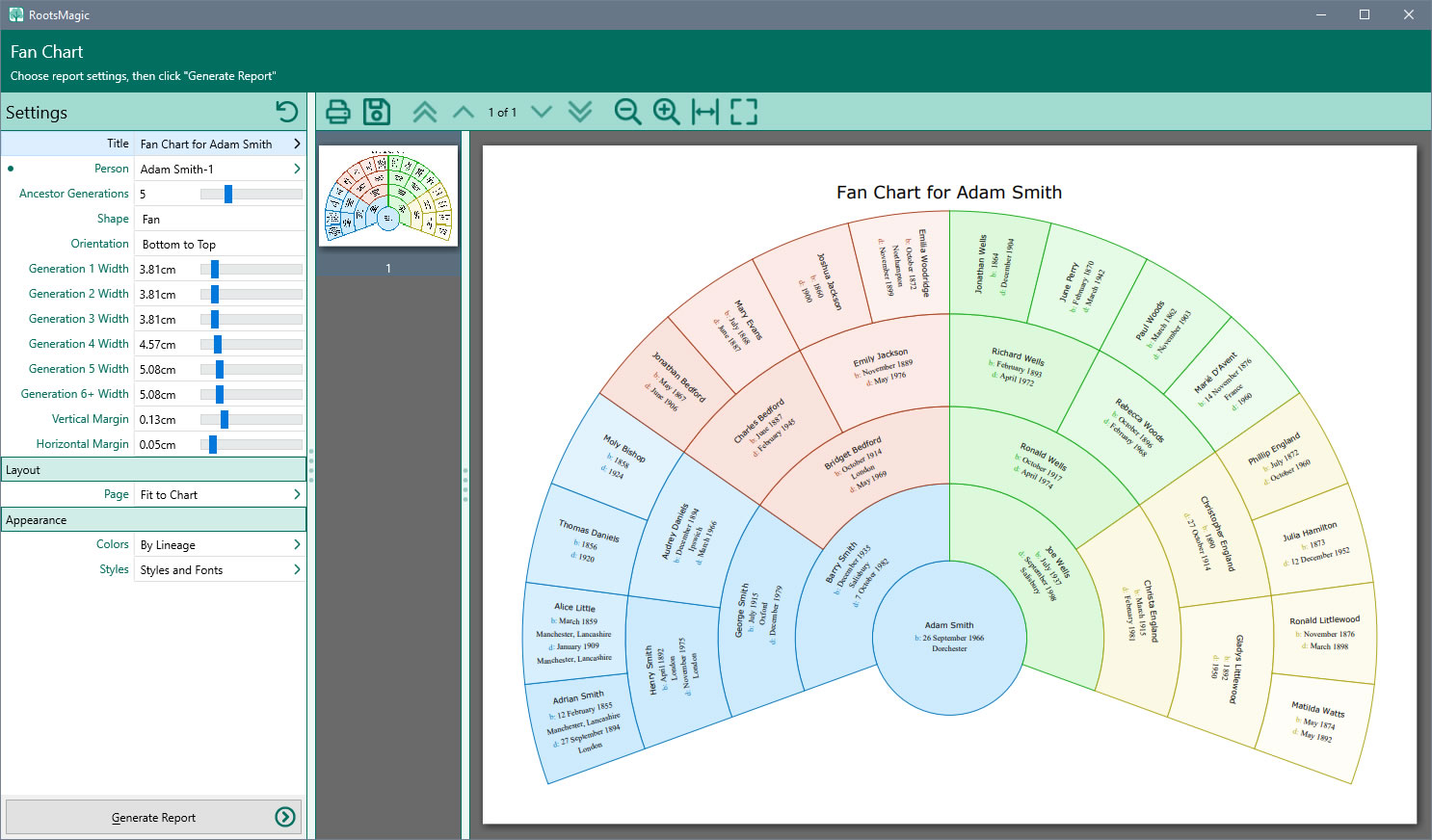
Design and print spectacular wallcharts and fan charts that really show the big picture. Add pictures and coloring to make your own unique masterpiece.
Publish Online
Share your family tree, notes, sources, and media with your own private website using our free My RootsMagic hosting service.
HTML Website Creation
Create beautiful pages in HTML to display on your own website, allowing much more flexibility.
Exchange Files
Full GEDCOM (Genealogical Data COMmunications) support means you can share your family tree with others, even if they use different software.
System Requirements:
- Windows 10 or 11 (32-bit or 64-bit)
- macOS 12 (Monterey), 13 (Ventura), 14 (Sonoma), 15 (Sequoia), or 26 (Tahoe)
Frequently Asked Questions
Can I run this on two computers?
Yes, you can use the same registration key to install the program on another computer.
Will my data transfer from a previous version?
Yes. If you were using version 8, 9 or 10, you can open the file in RootsMagic 11 and it will convert to the new format for you. If you were using version 7 or previous, you will need to import your database by going to File > Create a New RootsMagic File. Then follow the on-screen prompts to transfer everything into version 11.
What subscription is included in the Platinum and Standard Editions?
The Platinum Edition comes with a 3 Month Standard Subscription to TheGenealogist which includes:
- Births & Baptisms, Marriages, Deaths & Burials
- Census 1841-1911 for England & Wales
- Education Records
- Trade, Residential & Telephone Directories
- Wills, Probates & Testaments
- and more!
The Standard Edition comes with a 3 Month First Steps Subscription to TheGenealogist which includes BMDs & Census.
The subscription doesn't start when you purchase the program, it can be activated at any time.
Tutorials and Step-by-Step Guides
RootsMagic 11 has an extensive User Guide on the website, with instructions and details on how to use the program. You can visit this here: https://help.rootsmagic.com/RM11/index.html
Downloads are sent by email, and all payments are processed through our secure payment system. Once you have completed your order, you will get an email from us containing a download link and a registration key for you to download and install the program.
Due to the nature of download products, orders may only be cancelled if you have not downloaded the product, as per the terms and conditions shown on our website.